Blog · Build log · October 3, 2026 · James Forrester
What Small Business Automations Actually Save Time in BC?
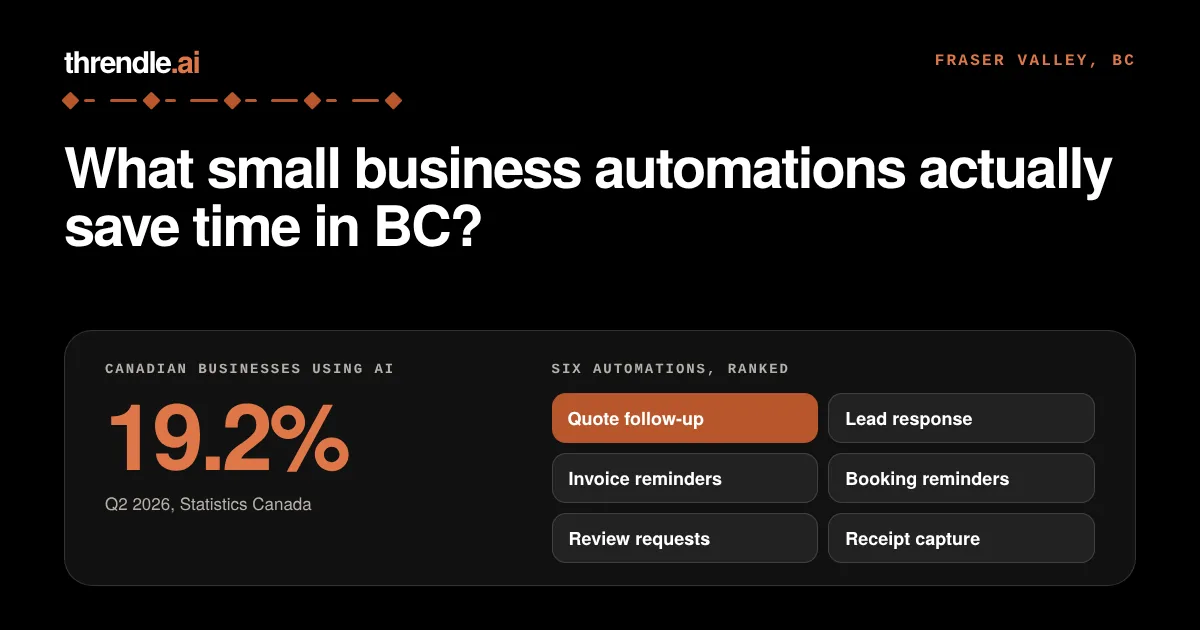
By James Forrester and Claude. Chilliwack, BC. Published October 3, 2026.
Last updated: October 3, 2026.
The automations that save the most time for a small BC business replace repeated follow-up: chasing quotes, answering new enquiries, and reminding customers about appointments and unpaid invoices. Adoption is still early. In the 12 months before its second-quarter 2026 survey, 19.2% of Canadian businesses used AI to produce goods or deliver services, up from 12.2% a year earlier (Statistics Canada, Canadian Survey on Business Conditions, June 2026). Two years earlier it was 6.1%. Four in five businesses are still not using it, so most owners are choosing without many peers to copy.
Small business automation means setting up software to do a repeated task for you, such as sending a reminder or logging an enquiry, so you handle the exceptions. This post ranks six automations by how much repeated manual work each one removes. The order is our judgment from client work: tasks that repeat every week and start from one simple trigger come first, and tasks that pay off mostly once a year come last. Each section covers who the automation suits, what it needs and where it goes wrong. It is written for owners of trades, home-service businesses, clinics and small shops in Chilliwack, Abbotsford, Langley, Agassiz, Hope and the rest of the Fraser Valley.
Key takeaways
- Start with follow-up work: quote and estimate follow-up, then replies to new enquiries. Both fix the same problem, a customer waiting while you are on a job.
- Invoice reminders, appointment booking and reminders, and review requests come next. Each runs on a simple rule and a message template.
- Receipt capture helps at tax time and saves less day to day, so it comes last.
- Automation also returns time on creation and list-building. On October 1 we scheduled 42 social posts on 13 topics across three channels in about two and a half hours of working time, and a person reviewed each one before it went out.
- Our published pricing runs from CAD 3,000 to 9,000 per build, plus a monthly care plan of CAD 300 to 600 (our published pricing). Prices vary by provider and scope, so compare quotes.
- Skip anything that talks to customers about price or scope without a person checking it first.
Admin time leaves small BC firms little slack
Admin is the part of the week nobody bills for. The Canadian Federation of Independent Business (CFIB) found that small firms spent 256 hours a year, about 32 business days, on red tape in 2024, up 35% from 189 hours in 2020 (sample size not stated; CFIB, January 2025). Red tape covers regulation and compliance paperwork, so it is only one slice of the admin load, but it shows how little slack small firms have.
Automation does not remove that paperwork. It handles the messages around it, the ones you write the same way every time. Those are the easiest to hand off because the wording and the trigger barely change. If you want the longer argument for learning to run these tools yourself, we made it in an earlier post.
Adoption also varies by sector and place. Statistics Canada reports that construction, at 9.2%, was among the three sectors with the lowest AI use in the same period, alongside agriculture, forestry, fishing and hunting (4.5%) and wholesale trade (7.9%). Urban businesses used it at 21.0%, against 9.9% for rural ones (Statistics Canada, Q2 2026). Those are national figures, not BC or Fraser Valley figures. They still matter if you run a crew out of Agassiz or Hope, where fewer peers are likely to have tried these tools.
Which small business automations return the most time?
Six return time reliably, listed here in the order we would set them up. Each follows one pattern: a trigger (a quote is sent, a form comes in, an invoice goes overdue), a message or action, and a place where you can see what went out.
| Rank | Automation | Best suited to | What it needs |
|---|---|---|---|
| 1 | Quote and estimate follow-up | Trades, renovation, home service | A quote tool or spreadsheet with sent dates |
| 2 | Lead response | Any business with a web form or phone enquiries | A form or inbox that feeds one list |
| 3 | Invoice and payment reminders | Anyone invoicing on terms | Accounting software with due dates |
| 4 | Appointment booking and reminders | Clinics, salons, repair shops | An online calendar with customer contact details |
| 5 | Review requests | Businesses with repeat or local customers | A Google Business Profile and a completed-job trigger |
| 6 | Receipt capture | Owners who do their own books | A phone camera and accounting software |
1. Quote and estimate follow-up
This suits any business that sends a written quote and then waits. A roofer in Abbotsford or a renovation contractor in Langley might send five estimates in a week, win two, and never hear back about the other three. The automation checks sent quotes against a rule and sends a short check-in from your own email address. A reasonable starting point is a first check-in after three days without a reply and a second a week later. The sequence stops the moment the customer answers.
It needs a list of sent quotes with dates and customer emails. A quoting tool, a CRM or a well-kept spreadsheet will do. Two things go wrong here. The message can sound like a robot wrote it, and it can reach someone who already said no. Have the tool draft each message and ask you to approve it for the first month.
2. Lead response
Enquiries tend to arrive while the owner is on a roof, in a treatment room or behind a counter. A new web form submission or missed call gets an immediate reply that confirms you received it, says when a person will follow up, and asks one useful question, such as the job address or preferred day. The details are logged in one place so nothing lives only in a text thread.
The inputs are a form, an inbox or a phone line that feeds a single list. The risk is a reply that promises too much. Keep the automatic message to an acknowledgement and one question, and leave price and scope to yourself.
3. Invoice and payment reminders
Many trades, contractors and service shops invoice on terms, so overdue invoices are a regular chore. The automation reads your accounting software, finds invoices past due, and sends a polite reminder at set intervals. One workable setting is a reminder a few days before the due date and another after it. You stay out of the awkward first nudge.
Invoices need due dates in software such as QuickBooks or Xero. A reminder sent to a customer who paid by e-transfer that morning does damage, so match payments to invoices before reminders go out. We also suggest routing anything more than 30 days overdue to yourself for a personal call.
4. Appointment booking and reminders
Clinics, salons, mobile repair services and anyone else who sells time slots can let customers pick a time online without a phone call. A text or email reminder before the appointment gives the customer a chance to confirm, cancel or rebook. Measure the effect yourself by counting no-shows for a month before and a month after.
You will want a booking calendar and customer contact details. Choose a tool that lets you edit the reminder wording and stop it for a cancelled booking.
5. Review requests
Local reputation drives work for a plumber in Hope, a bakery in Agassiz or a dentist in Chilliwack. When a job is marked complete, the automation sends the customer a short message with a direct link to your Google Business Profile review page. We suggest sending it a day or two after the work.
The trigger has to mean the job is truly finished, and the customer list has to be accurate. Do not send requests to customers with an open complaint. Check the review platform's current rules on incentives before offering anything in return.
6. Receipt capture
This suits owners who keep their own books. You photograph a receipt with your phone, and the tool reads the vendor, date and amount and files it under the right expense category in your accounting software. It replaces the shoebox at tax time.
It ranks last because the time saved arrives in lumps, mostly at year end, and not every week. Watch for misread amounts and wrong categories. Check a sample each month, and keep the original receipt for as long as your accountant tells you to.
What does small business automation cost in the Fraser Valley?
Our published pricing starts at CAD 3,000 to 3,500 for a fixed-price scope for one bottleneck and runs to CAD 6,000 to 9,000 for a full multi-workflow build, with a monthly care plan on every build. The tiers below are copied from our published pricing. All prices in this post are in Canadian dollars.
| Tier | What it covers | Price |
|---|---|---|
| Foundation | A fixed-price scope for one bottleneck | Typically CAD 3,000 to 3,500 |
| Momentum | A mid-tier build | CAD 4,000 to 5,000 |
| Growth | A full multi-workflow build | CAD 6,000 to 9,000 |
Every build carries an ongoing monthly care plan of CAD 300 to 600, depending on the tier.
Our tiers cover one to a few workflows. A full pipeline that joins a knowledge base, a database, the website, content production, CRM and bookkeeping is a much larger scope and is priced separately.
Three things drive the price: what is automated, how many tools have to connect, and who maintains it afterward. Ask any provider, including us, to put three things in the quote:
- The scope, and which of your tools it connects to.
- Whether the price is fixed or capped.
- Who fixes it when something breaks, and what that costs.
What does this look like in practice? Two examples from our own work
The automations above handle follow-up. The same approach also works for creation and list-building, where a person used to spend hours on repeatable work. Here are two examples, with what was made and what still needs a person.
A sample prospect list for a Langley-based HVAC company
In under an hour, by our own timing of the job, we built a list of commercial prospects for a local Langley-based HVAC company: 14 companies, 26 contacts, 25 email addresses and 26 phone numbers, laid out as a spreadsheet for HubSpot's import tool. We sent it as a sample to show our method and how easily it can be put in place, and it was not a paid job. The phone numbers are each organization's main line, and it is a starting list the prospect checks and uses, not a promise of contracts.
Three weeks of social posts scheduled in one day
On October 1, on our own accounts, we scheduled 42 posts on 13 topics: 14 each on Facebook, Instagram and LinkedIn, running through October 22. Our scheduling tool, Postiz, stamps each post with the time it was created. Those stamps show four working stretches that day of about 72, 53, 3 and 22 minutes, so roughly two and a half hours of scheduling work. Each post carries its own caption written for its channel, and a person approved every one before it was scheduled.
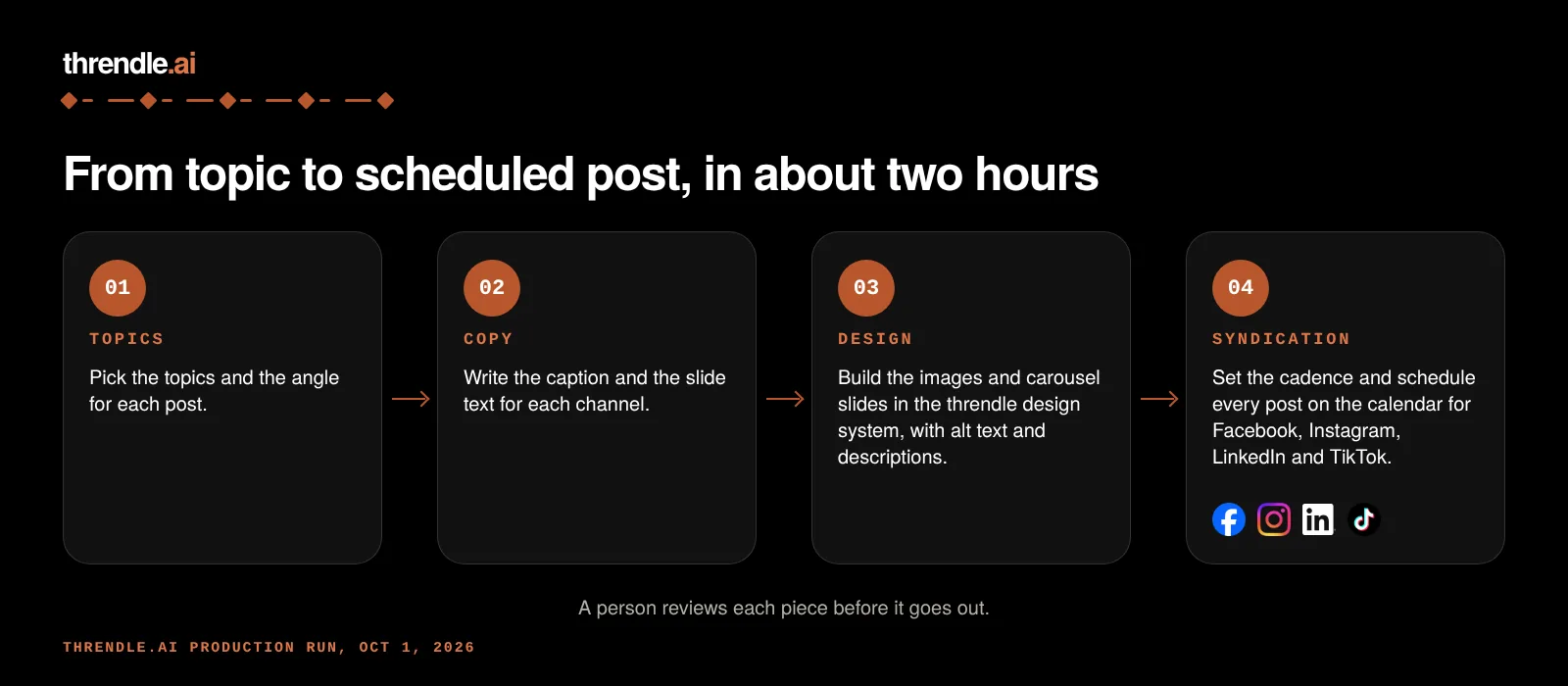
Here is one post from that run on Facebook, Instagram and LinkedIn.
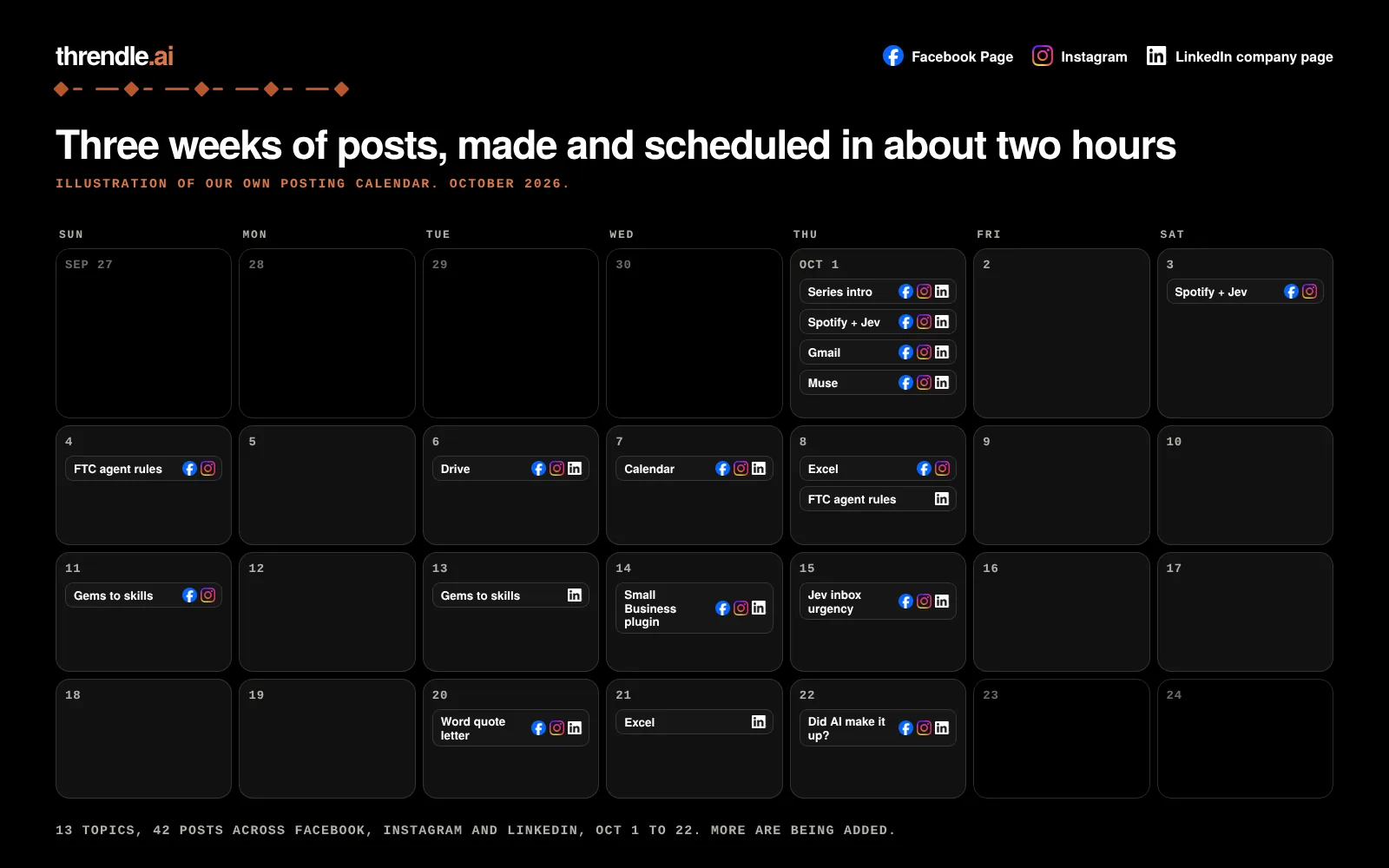
Both examples show the same thing. Automation returns time on repeatable creation and list-building work, and a person still reviews everything before it goes out.
Skip anything that speaks for you without a person approving it
Do not let anything speak for you on price, scope or safety without a person approving it. Virtual agents and chatbots are among the more common AI uses reported by Statistics Canada (28.2% of AI-using businesses, Q2 2026), but a chatbot that quotes a job it has not seen can commit you to a number you cannot hold. In a clinic, an unsupervised bot answering clinical questions is a risk you do not need.
Big rebuilds are also worth avoiding. Replacing your booking, accounting and customer systems to add one reminder is a larger project than the problem deserves. Start with the software you already have, and check its settings for built-in reminders and message templates. Add a separate tool only when you hit a limit.
A process that does not work by hand will not improve once it is automated. If your quotes are inconsistent or your invoices go out late, an automation will repeat that faster. Fix the routine first.
BDC data shows why the starting point matters. In a 2024 survey of 1,247 Canadian business owners, 39% thought they used AI, and 66% did once they were shown a list of tools (BDC, September 2024). The same survey found that 27% of AI users reported lower operating costs. Check what your current software already does before you buy anything.
Where to start in Chilliwack, Abbotsford, Langley, Agassiz and Hope
A Chilliwack or Abbotsford trades business tends to start with quote follow-up, because the work is project-based and quotes go stale. A Langley retail or service shop with walk-in and online traffic usually gets more from lead response and appointment reminders. In Agassiz and Hope, where drive times are long, a reply that goes out while you are on the road matters most. This post ranks automations and prices them, while what Reddit says about small business AI automation collects owner opinions.
Other providers in the Fraser Valley and elsewhere in BC offer similar services, so compare more than one.
Frequently asked questions
What small business automations save the most time in BC?
Quote and estimate follow-up and new-enquiry replies save the most for most trades and home-service businesses, because both remove messages you would otherwise write by hand. Clinics and shops that sell time slots usually gain more from booking and reminders. Choose the task where you most often notice something slipping.
What can a Chilliwack contractor automate to stop chasing quotes?
A rule that checks sent quotes and emails a short check-in after a few days with no reply, then a second one a week later. Both timings are suggestions, and you can adjust them. It stops when the customer answers. Keep the first month on approval so you read each message before it goes out.
How much does small business automation cost in the Fraser Valley?
Our published pricing is CAD 3,000 to 3,500 for Foundation, CAD 4,000 to 5,000 for Momentum and CAD 6,000 to 9,000 for Growth, plus a monthly care plan of CAD 300 to 600 depending on the tier. Other providers charge differently, and the cost section above lists what to ask for in any quote.
Is business automation worth it for a one-to-four person shop in Abbotsford or Langley?
It can be, if you start with one repeated task and measure it. Statistics Canada found that 19.9% of businesses with 1 to 4 employees used AI in Q2 2026, close to the 19.2% national figure. Count the hours you spend on the task now and check again after a month.
What should you do first?
Pick the one repeated message you write most often and automate that first. For most trades it is the quote check-in, and for most clinics it is the appointment reminder. Run it for a month with approval switched on, count what it saved, and then move down the list.
About the authors. James Forrester runs threndle.ai in Chilliwack, BC, and wrote this post with Claude, one of the AI platforms he builds on. To see where your own time goes, try the 3-minute diagnostic, or book a meeting.
Sources
- Statistics Canada, Canadian Survey on Business Conditions, Q2 2026, released June 11, 2026. https://www150.statcan.gc.ca/n1/pub/11-621-m/11-621-m2026010-eng.htm
- Canadian Federation of Independent Business, "Small businesses spend over 250 hours or 32 business days a year wrapped up in red tape," January 27, 2025 (survey year 2024; sample size not stated). https://www.cfib-fcei.ca/en/media/small-businesses-spend-over-250-hours-or-32-business-days-a-year-wrapped-up-in-red-tape
- BDC, study of Canadian entrepreneurs and AI, September 11, 2024 (1,247 owners surveyed April 2024). https://www.bdc.ca/en/about/mediaroom/news-releases/new-bdc-study-reveals-27-pourcent-of-canadian-entrepreneurs-don-t-know-they-re-using-artificial-intelligence-ai
- threndle.ai, published pricing (FAQ, "How much does an AI automation project cost?"), read October 3, 2026. https://threndle.ai/
- threndle.ai, post creation times for October 1, 2026, read from our Postiz scheduler on October 3, 2026 (our own records).